If you’re coaching Little League baseball, chances are you’ve been asked to use GameChanger. While the app is one of the best tools available for managing youth baseball teams, many first-time coaches quickly discover there is a learning curve.
From scorekeeping and pitch count tracking to livestreaming and team communication, GameChanger has become an essential part of modern youth baseball.
This guide will walk you through everything you need to know about using GameChanger for Little League baseball, even if you’ve never opened the app before.
What Is GameChanger?
GameChanger is a baseball and softball team management platform that combines:
- Team communication
- Scheduling
- Scorekeeping
- Statistics
- Pitch count tracking
- Livestreaming
- Attendance tracking
For Little League coaches, GameChanger can replace multiple apps and paper scorebooks while automatically generating player statistics throughout the season.
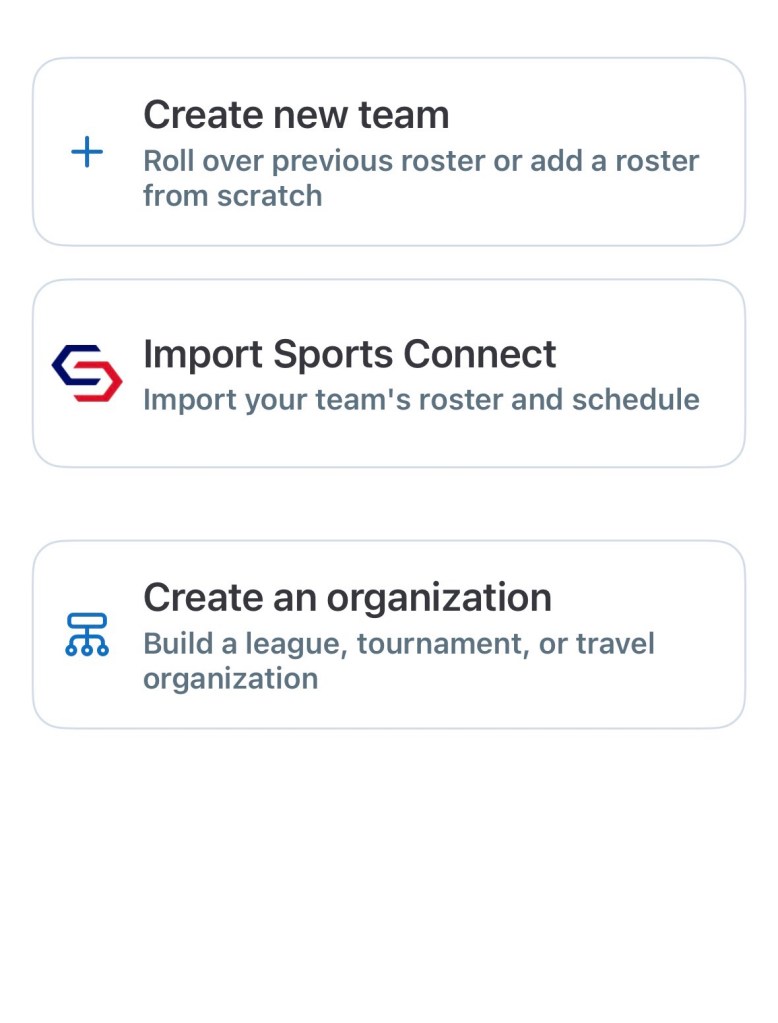
Step 1: Create Your Team
After downloading the GameChanger app, create your team by entering:
- Team name
- Age division
- Season year
- Sport type
Example:
Toledo Tigers 10U Baseball
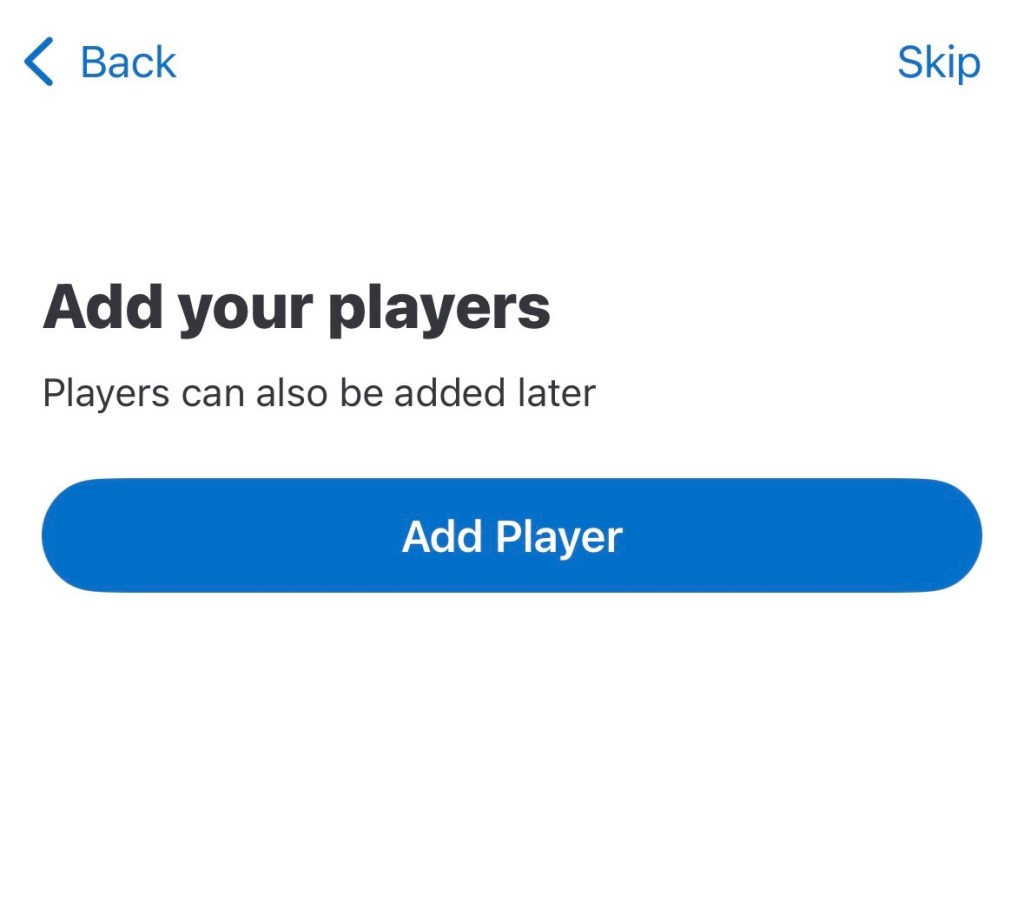
Step 2: Build Your Roster
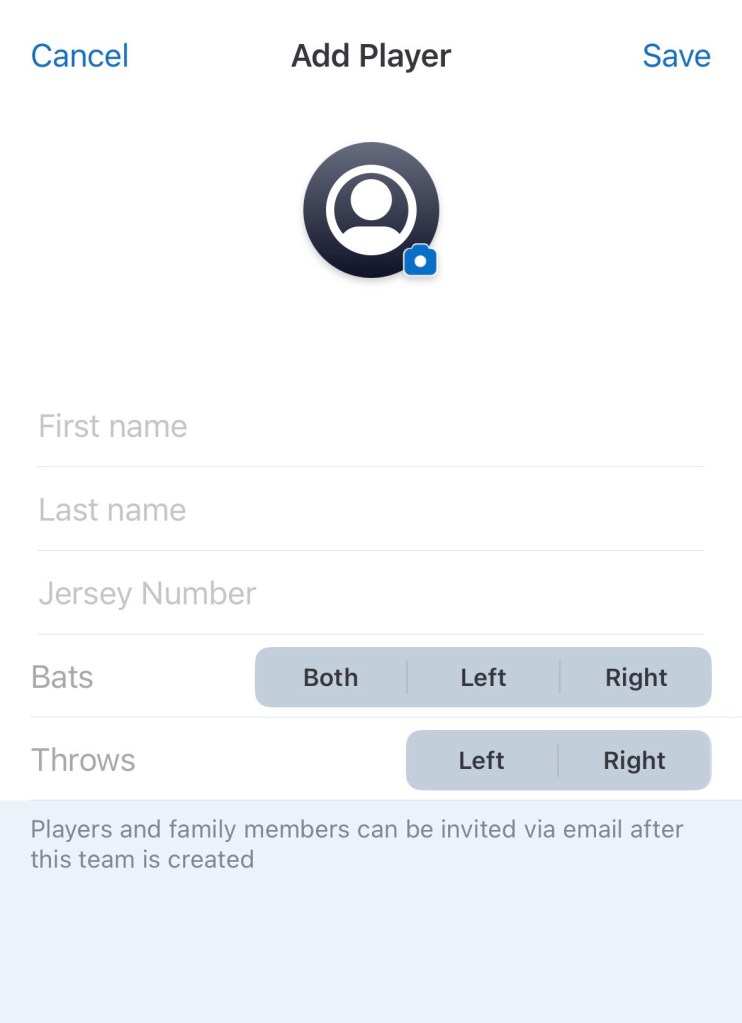
Enter each player’s:
- Name
- Jersey number
- Position
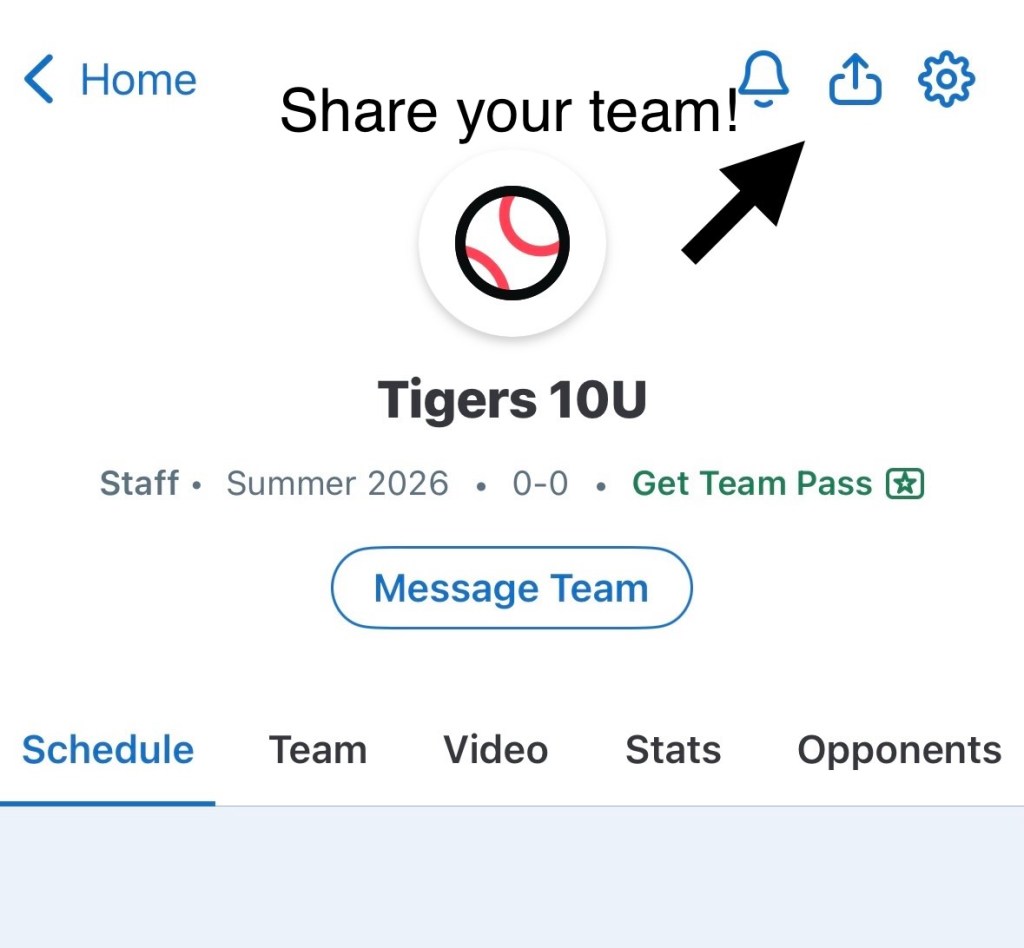
Then invite parents and assistant coaches.
This allows families to receive game schedules, practice reminders, and live game updates directly through the app.
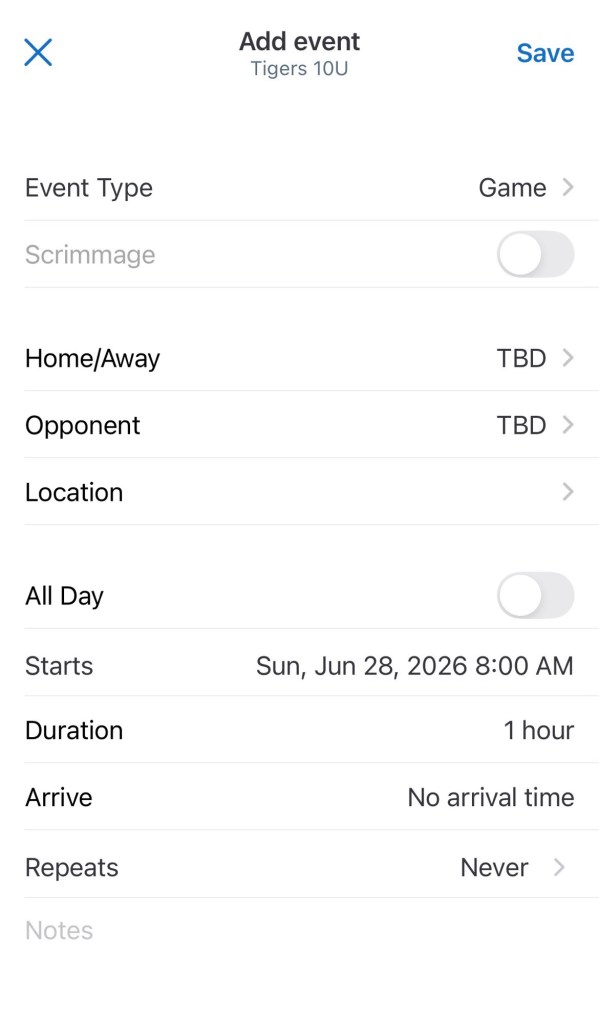
Step 3: Add Your Season Schedule
GameChanger allows coaches to schedule:
Games
Official league games and tournaments.
Practices
Weekly team practices.
Team Events
Meetings, fundraisers, and end-of-season celebrations.
Parents can RSVP directly through the app, helping coaches track attendance more effectively.
Step 4: Prepare for Game Day
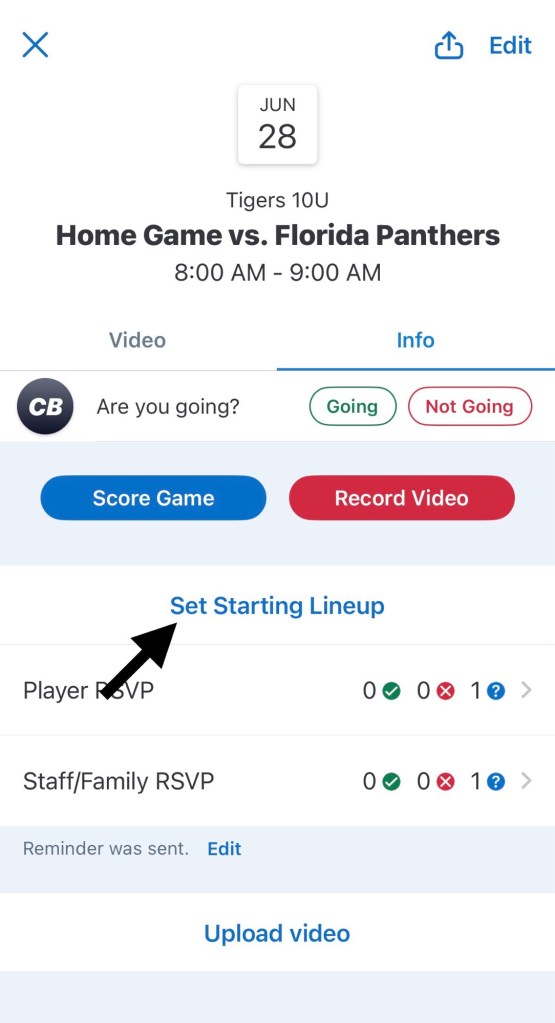
Before the first pitch, make sure to:
- Enter your lineup
- Assign defensive positions
- Select the starting pitcher
- Verify the opponent
- Test your internet connection
Taking five minutes before the game begins can prevent scorekeeping mistakes later.
Step 5: Learn Basic Scorekeeping
The most intimidating part of GameChanger is often scorekeeping.
Fortunately, the app guides you through each pitch and play.
Common Baseball Scoring Symbols
Play
Symbol
Single
1B
Double
2B
Triple
3B
Home Run
HR
Walk
BB
Strikeout
K
Error
E
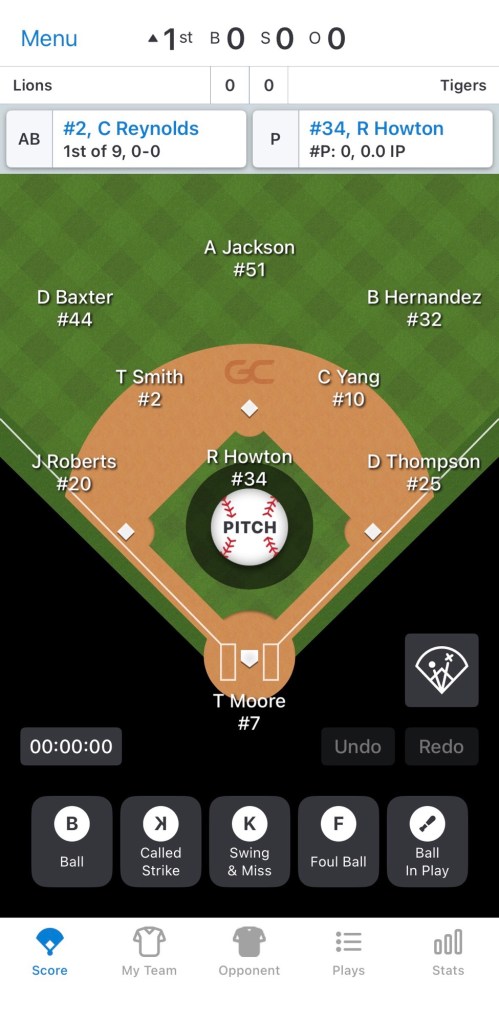
As each pitch occurs, simply tap:
- Ball
- Strike
- Foul
- Ball In Play
GameChanger then asks you to record the outcome.
How to Record Common Plays
Stolen Base
Select the runner and choose:
Advance Runner → Stolen Base
Error
If a fielder should have made the play but didn’t:
Ball In Play → Error
Fielder’s Choice
Select Fielder’s Choice when a defensive player attempts to record an out on another runner instead of the batter.
Wild Pitch
Advance the runner and select Wild Pitch.
Passed Ball
Advance the runner and select Passed Ball.
Step 6: Track Pitch Counts
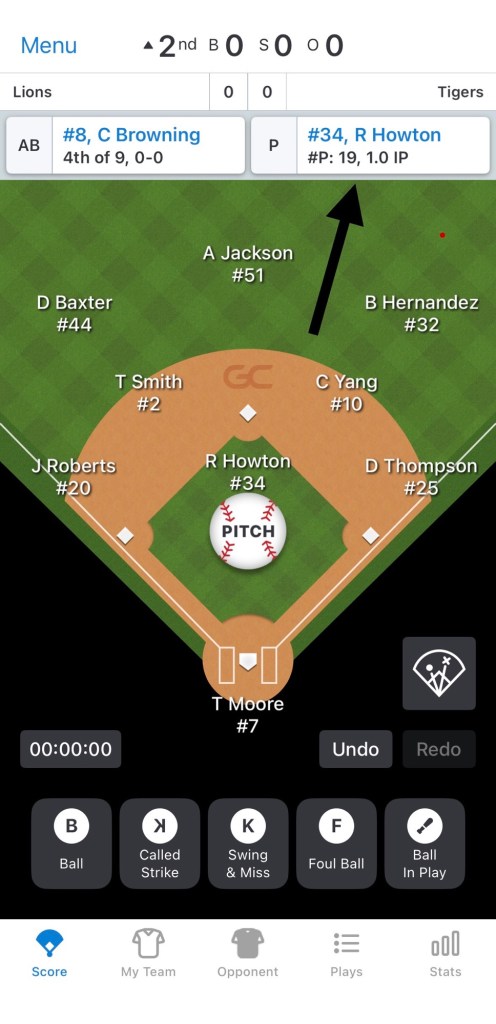
One of the biggest benefits of GameChanger is automatic pitch count tracking.
Pitch counts update in real time as you score the game.
This helps coaches:
- Monitor workload
- Follow Little League pitching rules
- Reduce overuse injuries
- Plan pitching rotations
Always verify pitch counts before leaving the field.
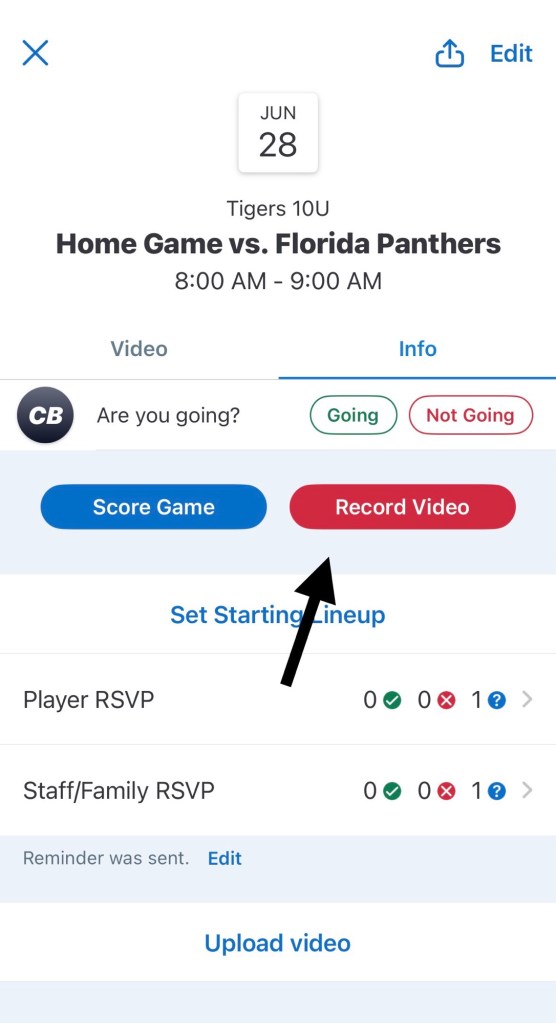
Step 7: Livestream Games
GameChanger allows coaches and team staff to livestream games directly from a smartphone.
For the best results:
- Place the camera behind home plate
- Use a tripod
- Charge your device fully
- Bring a portable battery pack
- Use landscape mode
Parents who cannot attend games can follow along live from anywhere.
Step 8: Understand Player Statistics
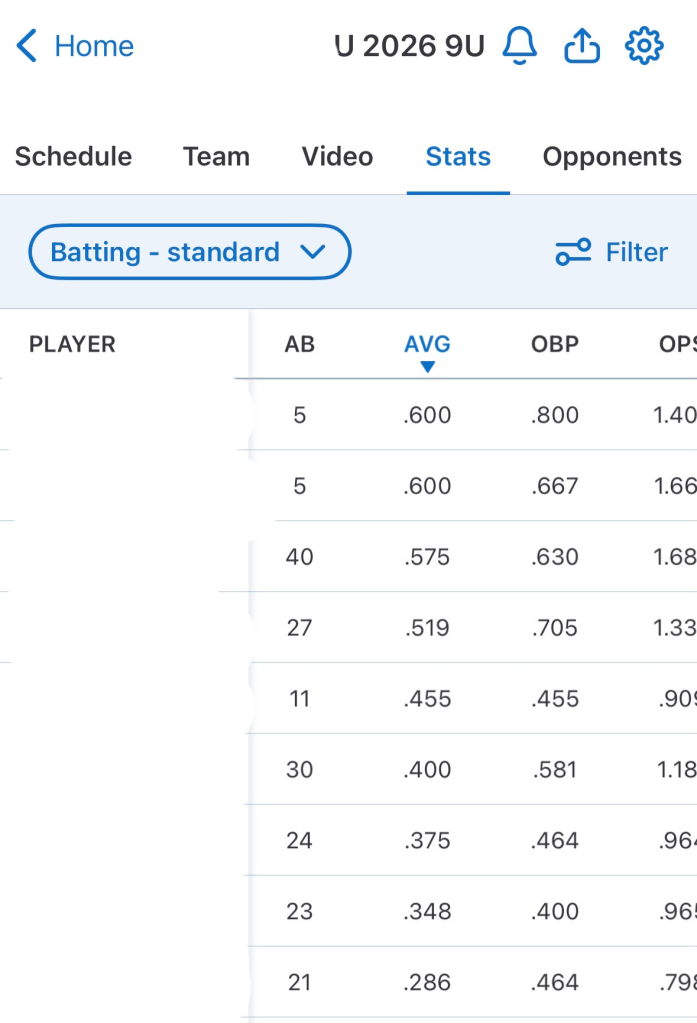
GameChanger automatically calculates dozens of baseball statistics.
Batting Average (AVG)
Measures how often a player gets a hit.
On-Base Percentage (OBP)
Measures how often a player reaches base.
Slugging Percentage (SLG)
Measures power hitting.
OPS
Combines on-base percentage and slugging percentage.
Many coaches consider OPS one of the best overall hitting metrics.
ERA
Earned Run Average for pitchers.
WHIP
Walks plus Hits per Inning Pitched.
Lower numbers generally indicate stronger pitching performance.
Common GameChanger Mistakes to Avoid
Waiting Too Long to Enter Substitutions
Always update defensive changes immediately.
Forgetting to Verify Pitch Counts
Double-check totals before ending the game.
Assigning Multiple Scorekeepers
Use one trained scorekeeper whenever possible.
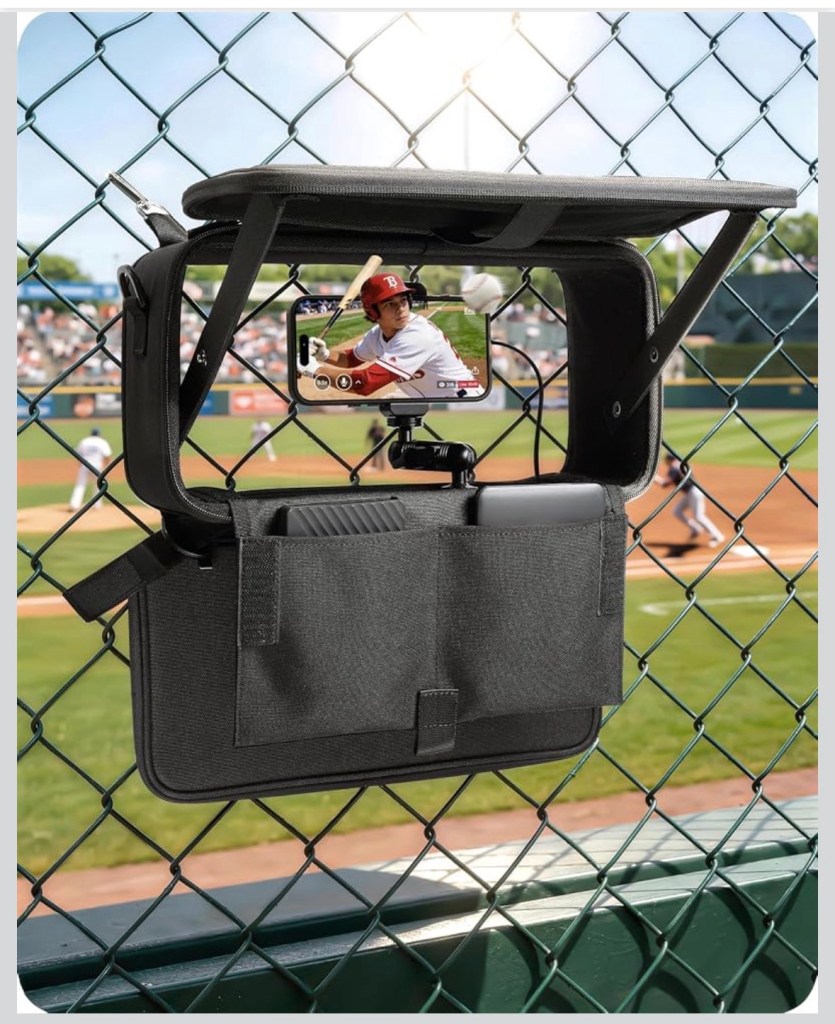
Poor Camera Placement
Livestream quality depends heavily on camera location.
Securing the camera to a chain-link fence or post is usually the best option. But many live streamers are now going with the GameChanger streaming kit.
I’ve had really good luck with this one:
Stouchi Game Changer Mounting Kit
Best Practices for Little League Coaches
Successful coaches use GameChanger as more than a scorebook.
They use it as a team management system.
- Send all team communication through one platform.
- Enter lineups before game time.
- Keep pitch counts updated.
- Review statistics weekly.
- Stream games whenever possible.
- Assign one dedicated scorekeeper.
Final Thoughts
GameChanger has become one of the most valuable tools available for Little League baseball coaches. Once you learn the basics of scorekeeping, pitch count management, and team communication, the app can save hours of administrative work throughout the season.
Whether you’re a first-year volunteer coach or a seasoned manager, mastering GameChanger will help your team stay organized, informed, and connected all season long.
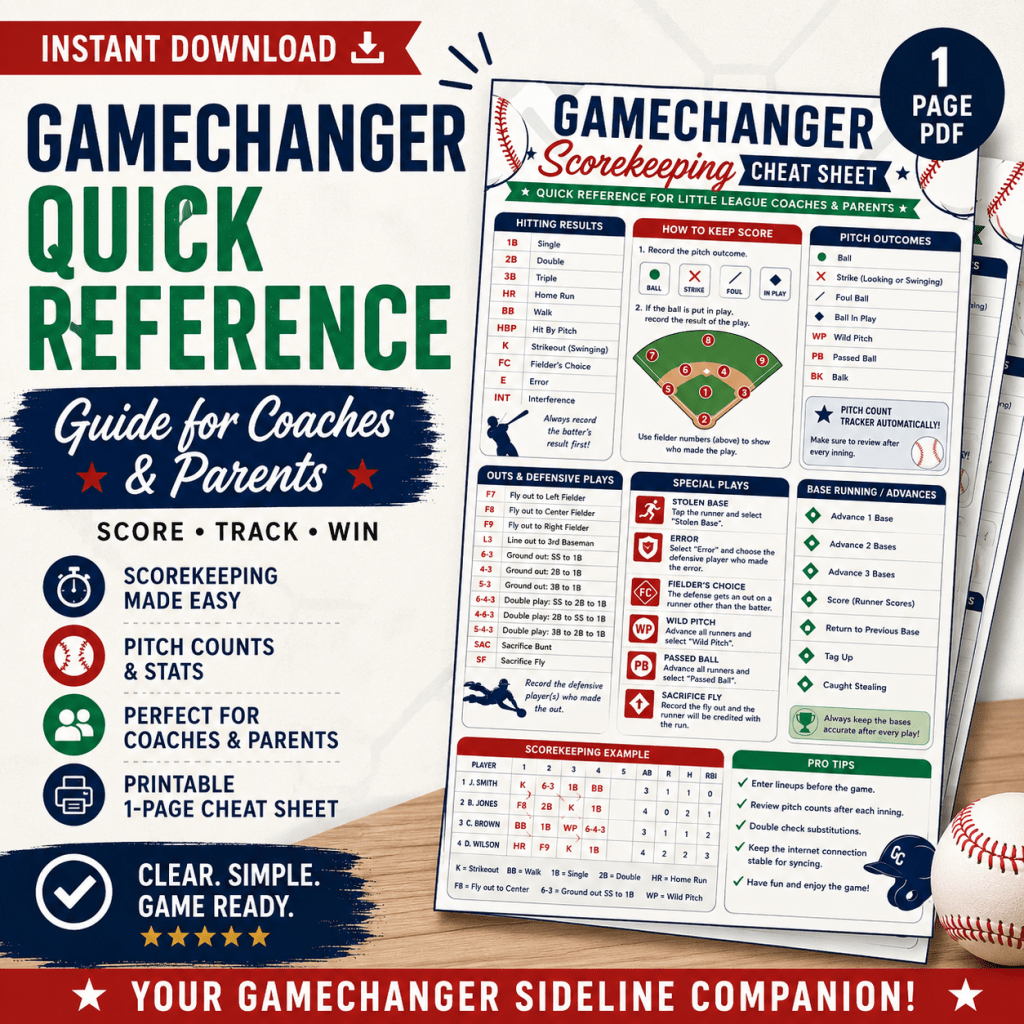
Check out my Etsy store for my Gamechanger Quick Reference Guide!




Leave a Reply